Home dashboard
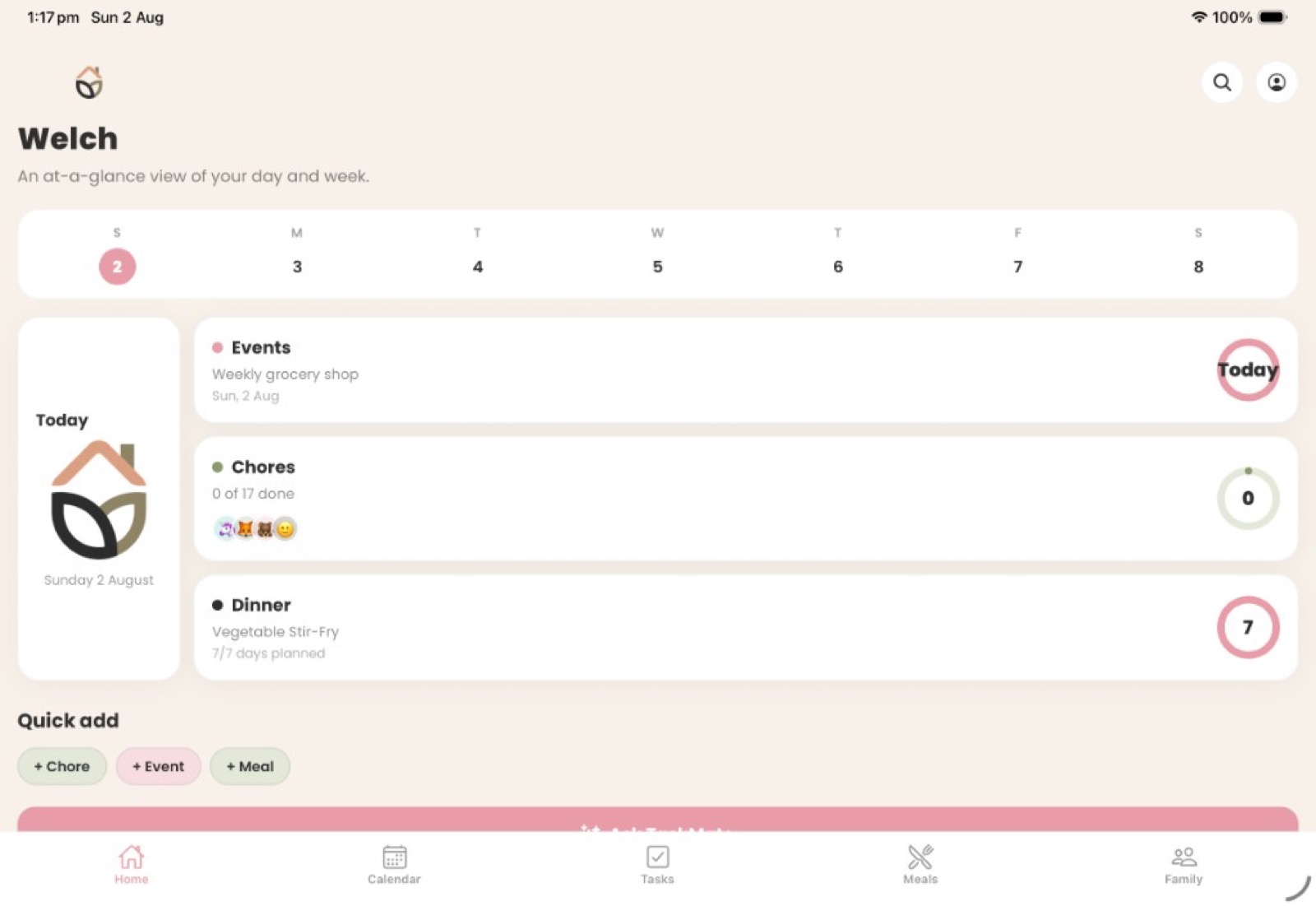
An at-a-glance day and week: weekly strip, Today cards for events, chores and dinner, progress rings, and quick-add for chores, events or meals.
TaskNest turns recurring responsibilities into a clear, shared rhythm. A calm shared display for the whole family — calendars, chores, rewards, meals, pantry and TaskMate — with a parent mobile companion.
Five calm tabs on the shared display, plus a parent companion and child mode — so everyone knows what matters now, and the next step is always obvious.
An at-a-glance day and week: weekly strip, Today cards for events, chores and dinner, progress rings, and quick-add for chores, events or meals.
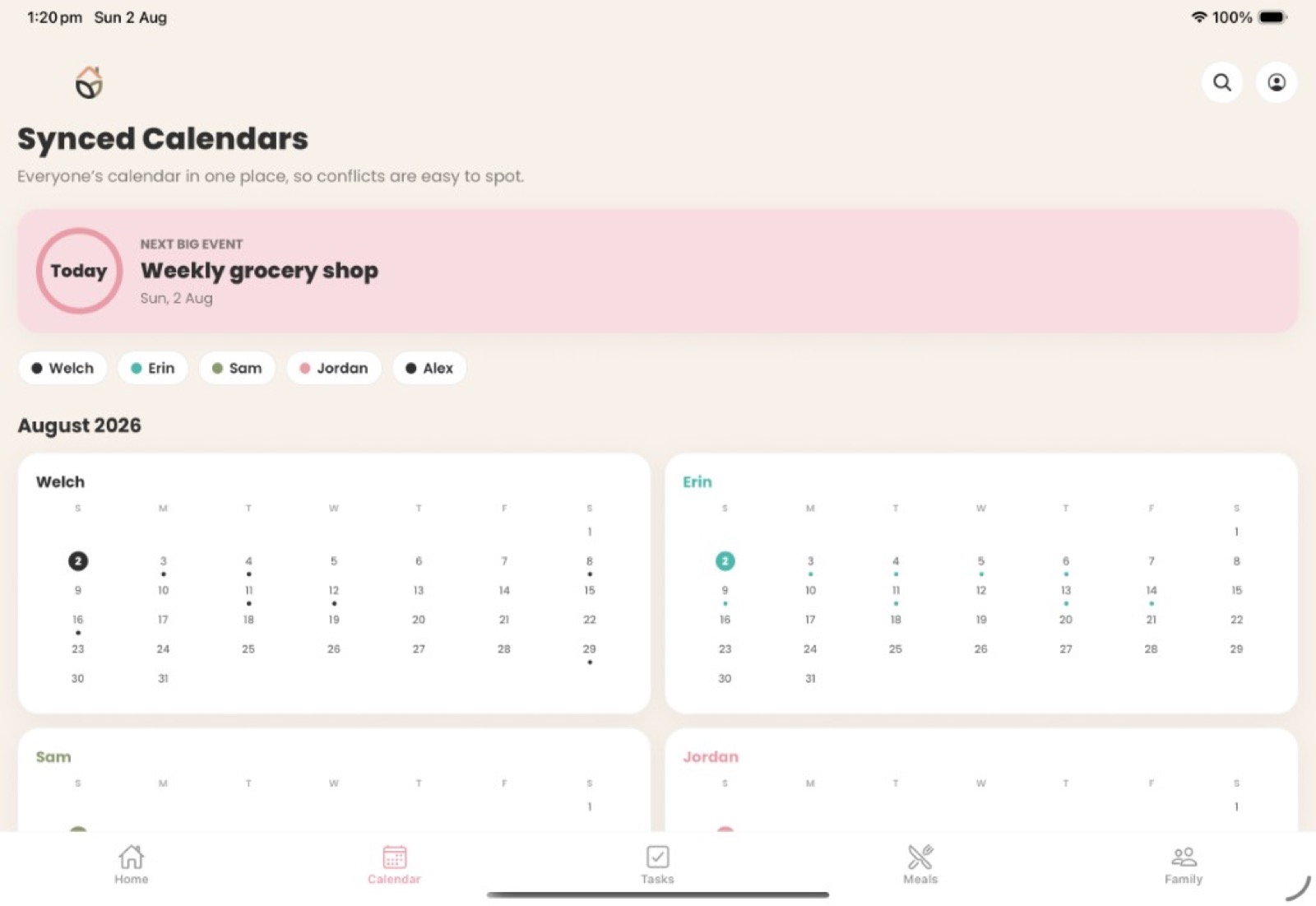
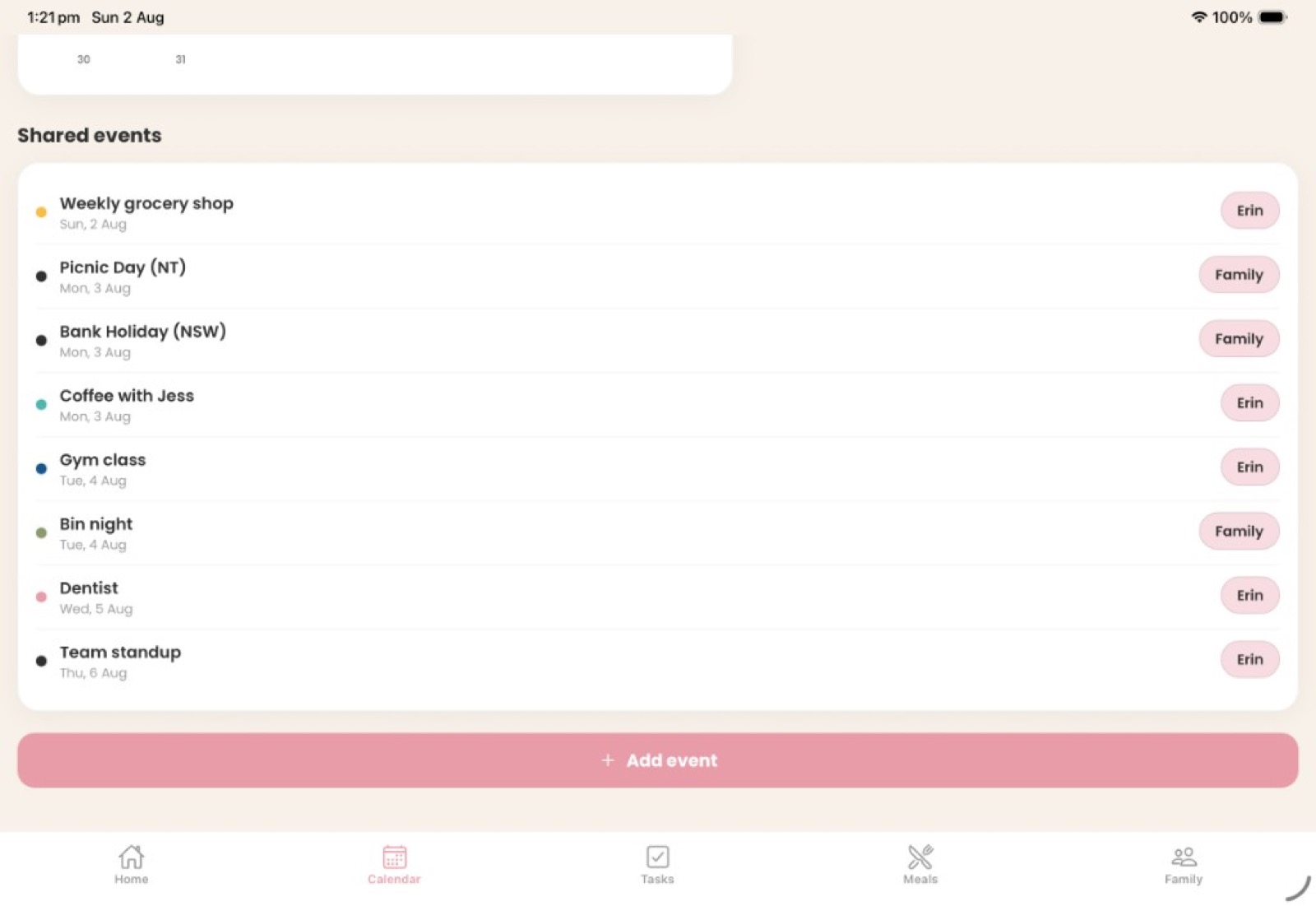
Shared household events plus optional Apple or Google Calendar sync. Colour-coded member tracks and a countdown to the next big event.
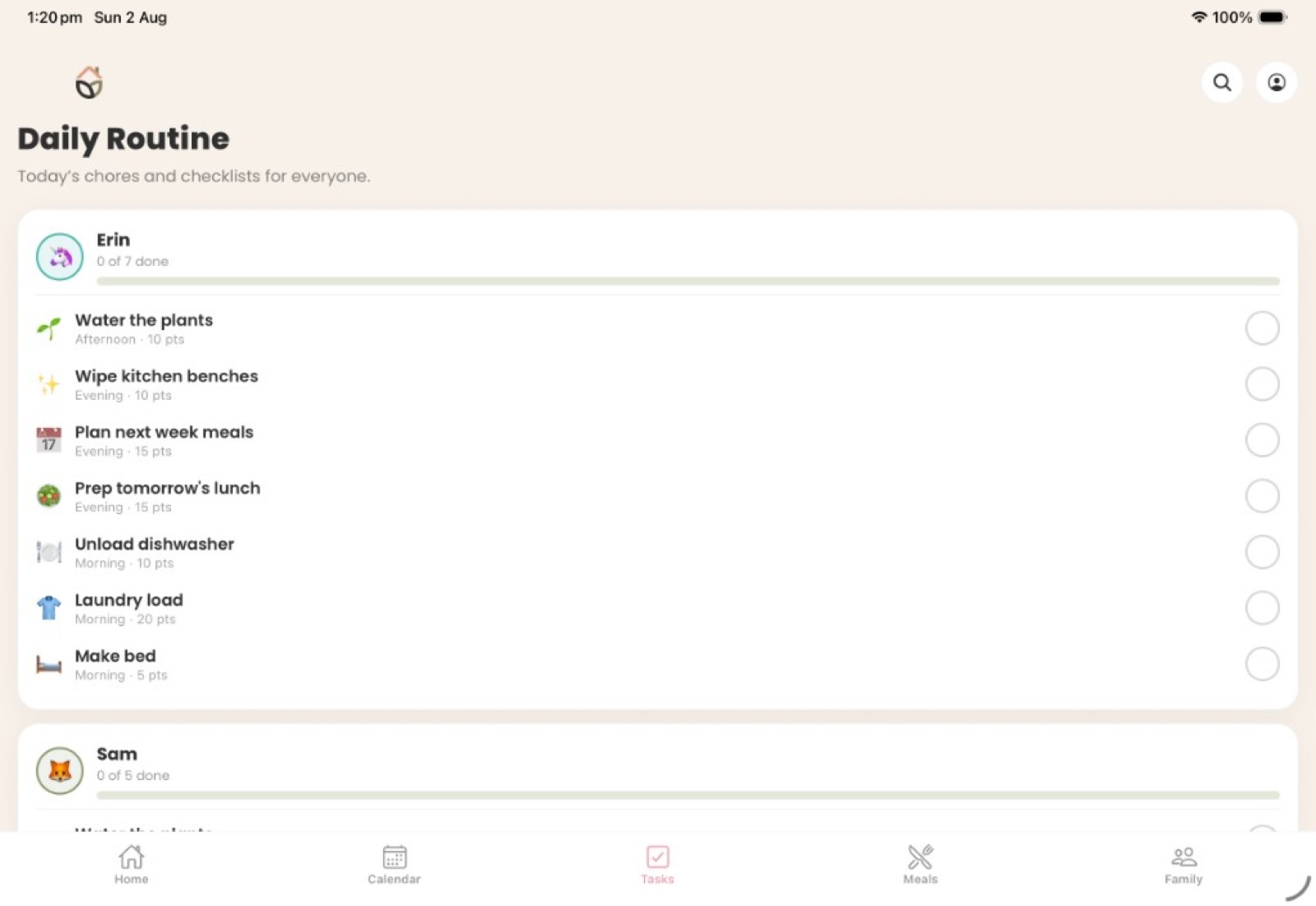
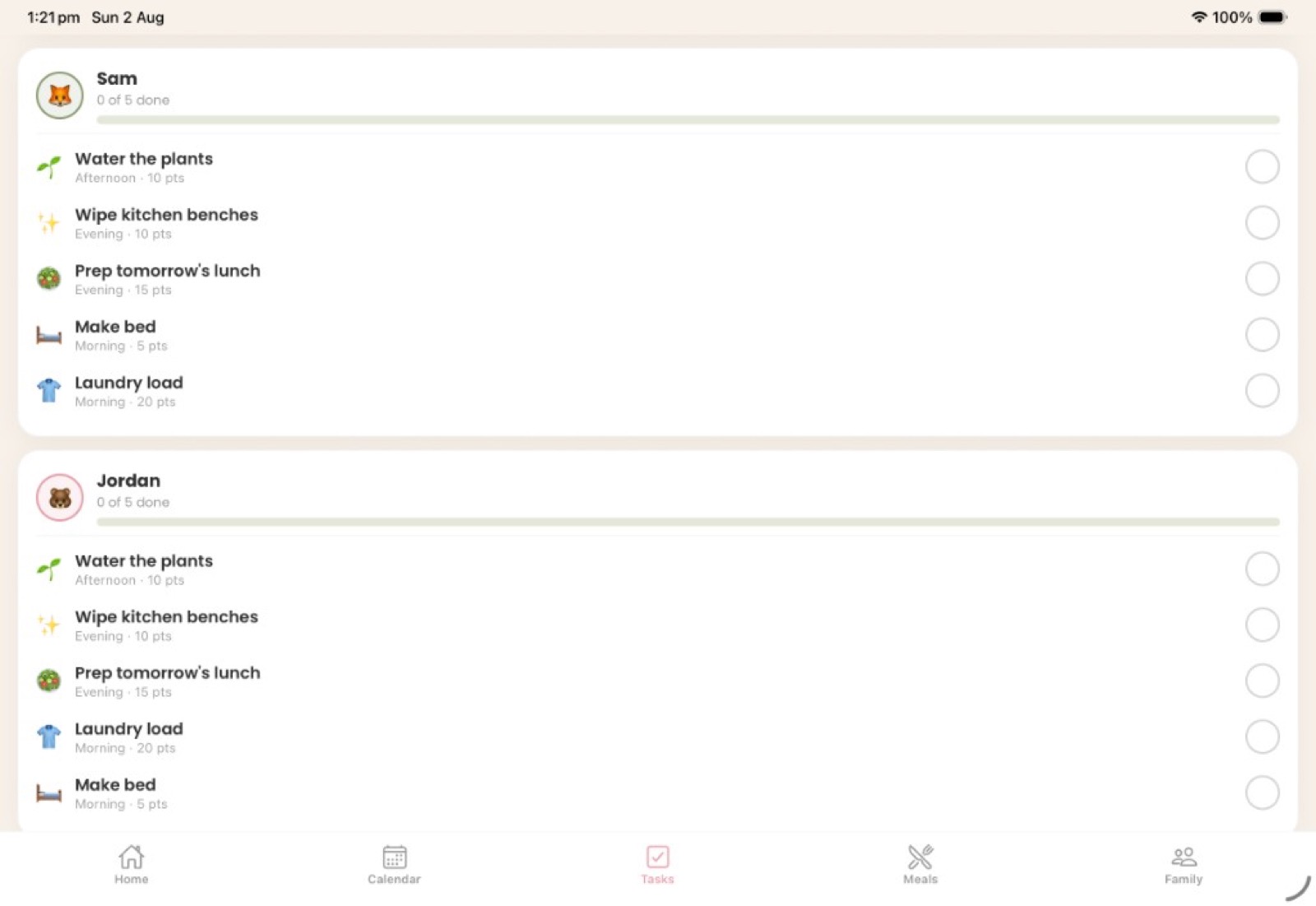
Daily and weekly routines with morning / afternoon / evening periods, large completion controls, optional parent approval and gentle celebrations.
Completed chores earn stars kids redeem in a parent-defined rewards store — encouragement, never shame or streak guilt.
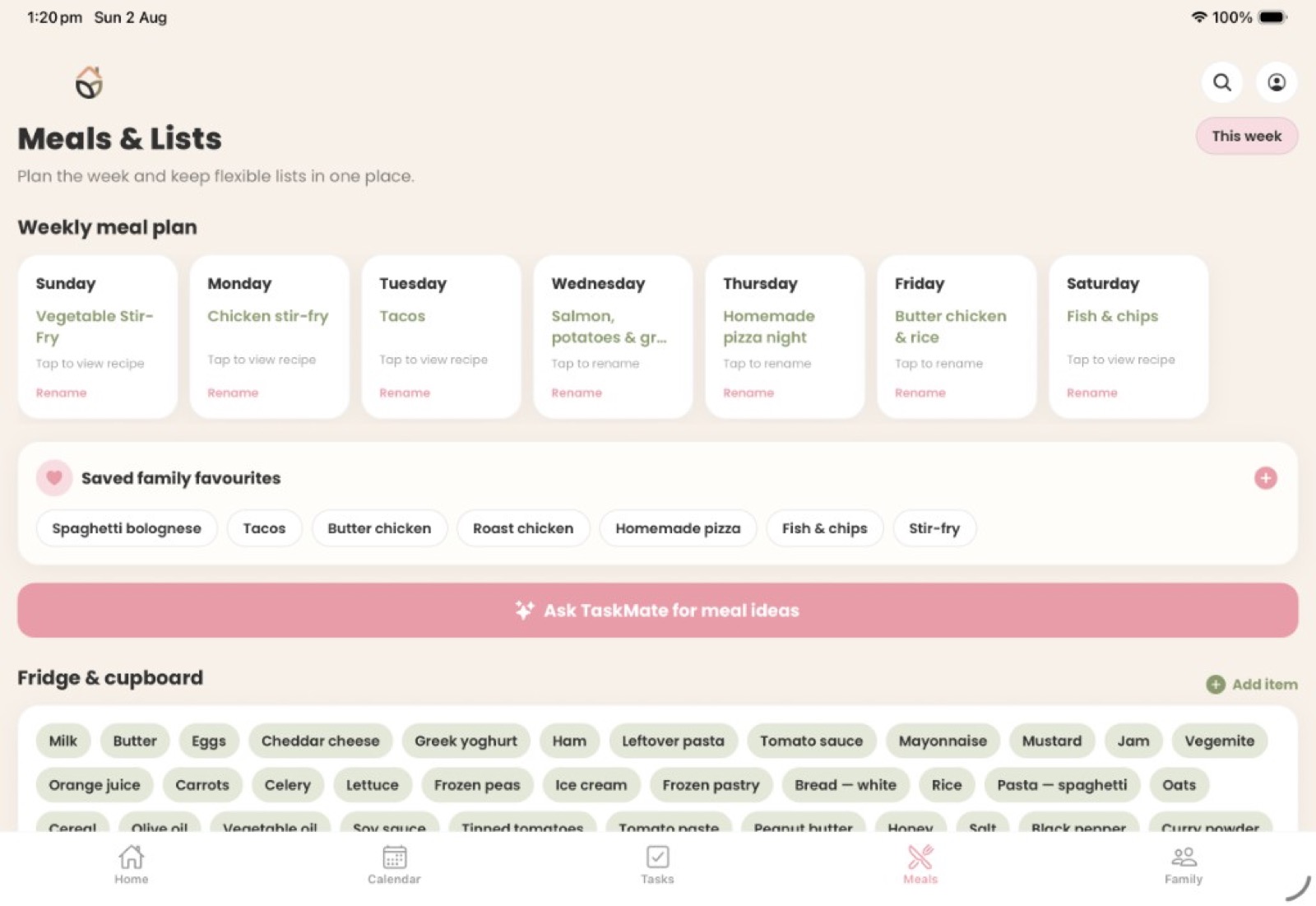
A 7-day meal planner with saved family favourites, recipe notes from TaskMate, and one-tap planning for tonight.
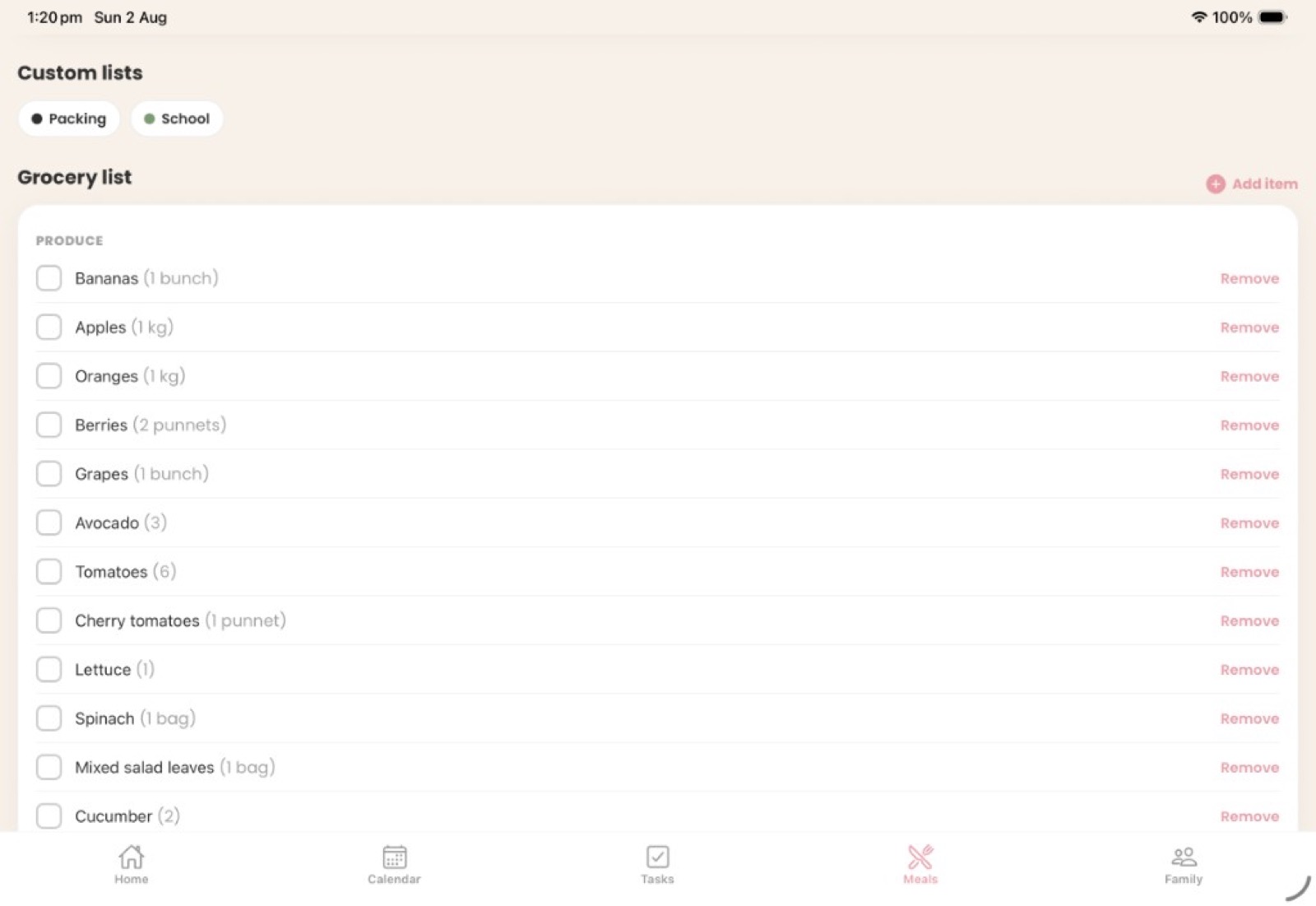
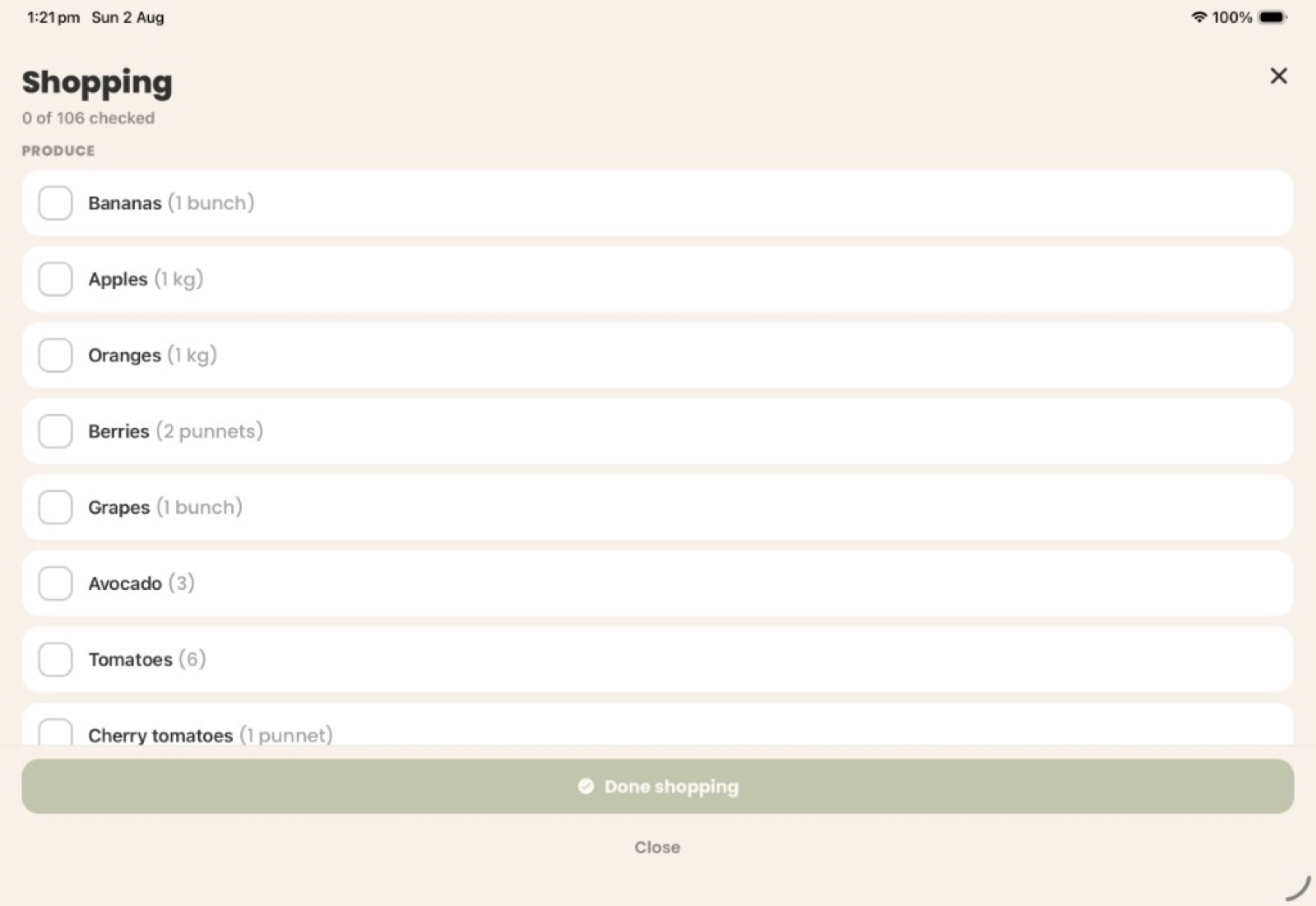
A categorised grocery list (produce, fridge, freezer, cupboard and more) with shopping mode to tick items off aisle by aisle.
Track what you already have on hand. Checked grocery items move into pantry inventory so TaskMate can suggest recipes from real stock.
Ask in your own words — cook with what's in the pantry, plan dinners, or turn notes into events and chores. You confirm before anything changes.
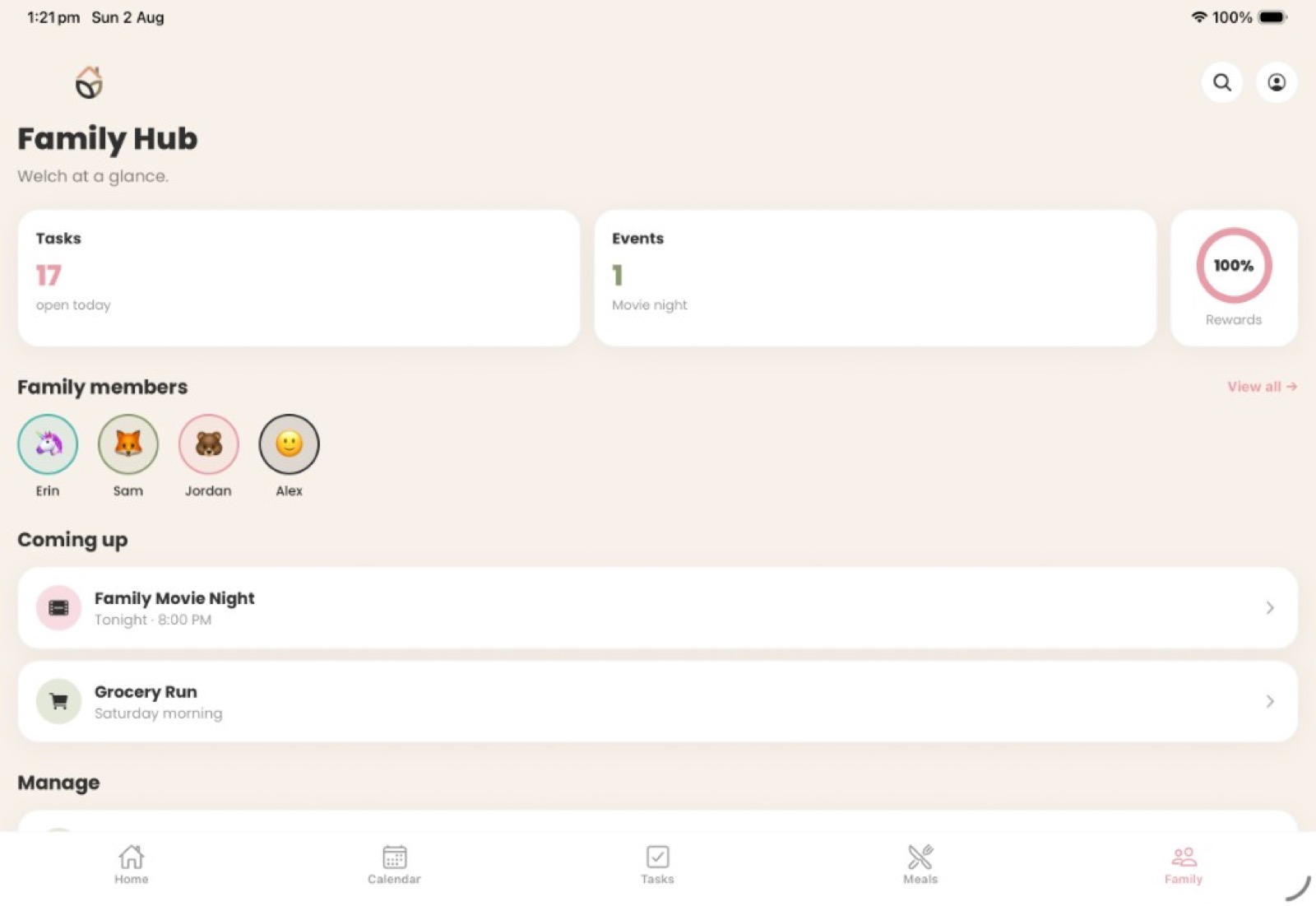
Household at a glance: open tasks, upcoming moments, rewards progress, member avatars, and links to household settings and pairing.
Kids enter as their profile to see My Day chores and rewards — no child accounts. A parental gate protects the way back to adult settings.
Pair a kitchen tablet as the shared display with a short code. Keep the hub always on while parents manage from their phones.
Colour-coded school, packing and custom checklists sit beside groceries — so the week's logistics stay in one place.
Big tap targets, warm ivory canvases and floating cards — readable across the kitchen and calm enough for everyday family life.
Movie night
45 ★
Ice cream trip
30 ★
30 min screen
20 ★
Choose outing
60 ★
Ask what you can cook with the fridge & cupboard, plan dinners, or paste a school email. TaskMate proposes recipes, events, chores and list items — nothing changes until you confirm.
Recipe ideas use your pantry inventory, then Plan for tonight updates dinner and missing grocery items.
"Hey Siri, open TaskMate" on iPhone and iPad opens the assistant with your spoken request.
Every suggestion needs explicit confirmation before it flows into calendars, meals, chores or lists.
 TaskMate● online
TaskNest works for families, couples, share houses and solo routines. Adults hold the account; everyone else is a profile — no child logins, no clutter.
Adults sign in with email. A parent PIN and parental gate protect the shared display and sensitive mobile actions.
Add adults and children with name, avatar and colour. Assign chores per profile — no child credentials required.
Pair a kitchen tablet as the home hub, then create, assign, approve and plan from the parent mobile companion.
Changes sync across devices in seconds. The companion keeps a Today view offline and queues completions until you reconnect.
Add adults and children, set your timezone, and choose solo or family mode.
Build daily and weekly chores, assign them to profiles, and set morning / afternoon / evening periods.
Kids use My Day, parents approve and plan, meals and shopping stay current — all in sync.
Status is never colour alone — each state pairs an icon with a plain-language label, readable from across the room.
Three tasks left this afternoon.

All done — nicely finished.

Waiting for a grown-up to confirm.

Rolled over from yesterday.

Updates sync when you reconnect.
TaskNestOn the goAnytime,
anywhere.
The parent companion app lets you create, assign, approve and plan from anywhere. Push a list to the shared display, approve a completed chore, or ask TaskMate by voice — and it all stays in sync.
TaskNest collects only what it needs to run your household. Children are profiles, not account holders, and parent controls sit behind a PIN. There are no behavioural ads and no public social features.
Read the privacy policy →
The essentials, answered.
TaskNest is designed for Apple devices. iPad is the main shared home display — landscape-first and always available. iPhone runs the parent mobile companion for planning on the go.
No. Adults own the account; every other member is a lightweight profile with a name, avatar and colour. A parent PIN protects the shared display and gates sensitive actions on mobile.
TaskMate turns questions and notes into proposed recipes, calendar events, chores and list items. It can use your fridge & cupboard inventory for cooking ideas. Nothing is added until you explicitly confirm.
Yes. Keep a categorised grocery list, shop in shopping mode, then move checked items into Fridge & cupboard. TaskMate uses that pantry when suggesting what to cook.
Yes. Enter as a child profile for My Day chores and rewards. Adults stay signed in; a parental gate protects the path back to household settings.
Yes. Choose solo or family mode when you create your household. TaskNest works just as well for a couple, a share house or personal home routines as it does for a busy family.
The mobile companion keeps a basic offline Today view and queues completions, syncing them the moment your connection returns. You'll always see a clear offline state.
Yes. Connect Apple or Google Calendar from Settings so shared household events and external schedules sit together in Synced Calendars, with colour-coded member tracks.
TaskNest has a free tier with limited features, so you can set up your household and try the essentials at no cost. TaskNest Premium unlocks the full experience for $9.99 AUD / month. You can also read how we handle data in the privacy policy.

Free to start with a limited tier, or unlock everything with TaskNest Premium. Add your live App Store link to the button below when your listing is ready.